
Smart product recommendations & sticky conversion carousels.
Cubic Carousel equips Shopify merchants with an intelligent recommendation engine, floating sticky bars, and fluid marquee sliders. Turn standard product rows into dimensional, high-converting discovery tracks with zero speed impact.
Your recommendation command center.
An intuitive drag-and-drop builder, built-in design presets, and conversion analytics right inside your Shopify Admin.
"The Brain" Drag-and-Drop Carousel Builder
Configure, sequence, and automate recommendation strategies with zero code directly inside Shopify Admin. Drag algorithms into live slots while the fallback engine keeps your carousels perpetually stocked.
key-tag: identifiers without cluttering your collection hierarchy.Complete design control, natively inside your theme editor.
Global Sticky Bar
Floating screen-anchored recommendation bar with compact bubble expander, z-index and edge offset controls.
Universal Custom Carousel
Universal block with cart-aware matching, manual product overrides, customizable placement, and fallback priority logic.
Related Products Grid
Multi-column static product cross-sell layout with configurable desktop/mobile grid columns and badges.
Related Products Slider
Fluid swipeable recommendation track with instant hover flip, auto-sliding, and custom font & color settings.
Pin a conversion action at the front of every carousel.
Lock WhatsApp chat, one-tap phone calls, cart shortcuts, promo banners, or a hero product as a dedicated card at the start or end of your recommendation track — without overlapping bottom-screen chat widgets.
Five action types. One fixed slot.
Configure once in the Cubic Carousel Builder. The pinned card stays locked in place while your recommendation sequence rotates around it — on mobile, desktop, or both.
{product_title} and {page_url} so you know exactly which product the shopper is asking about./cart or checkout with a live item-count badge on a sleek bag icon.Product pins a flagship SKU permanently in the carousel so your hero item always leads discovery.
📌 Pinned Card Slot
Growth & Pro{product_title} and {page_url} inject product context automatically./cart. You can also specify /checkout.Engineered for every touchpoint on your store.
Place recommendations exactly where they convert best—from floating screen bars to cart drawers and footer grids.
Global Floating Sticky Bar (for product page)
Anchors to the bottom or edge of the customer's screen as they scroll. Includes an expandable Compact Bubble mode, screen offset controls, and smart edge flattening to prevent chat widget overlaps.
Universal Custom Carousel (Use Anywhere)
Place it inline anywhere on your store — Home, Collection, Product, Cart, or any custom page section — or make it sticky so it floats on screen as shoppers scroll. Cart-aware matching recommends items based on the first product in the shopper's cart.
Multi-Column Product Grid (for product page)
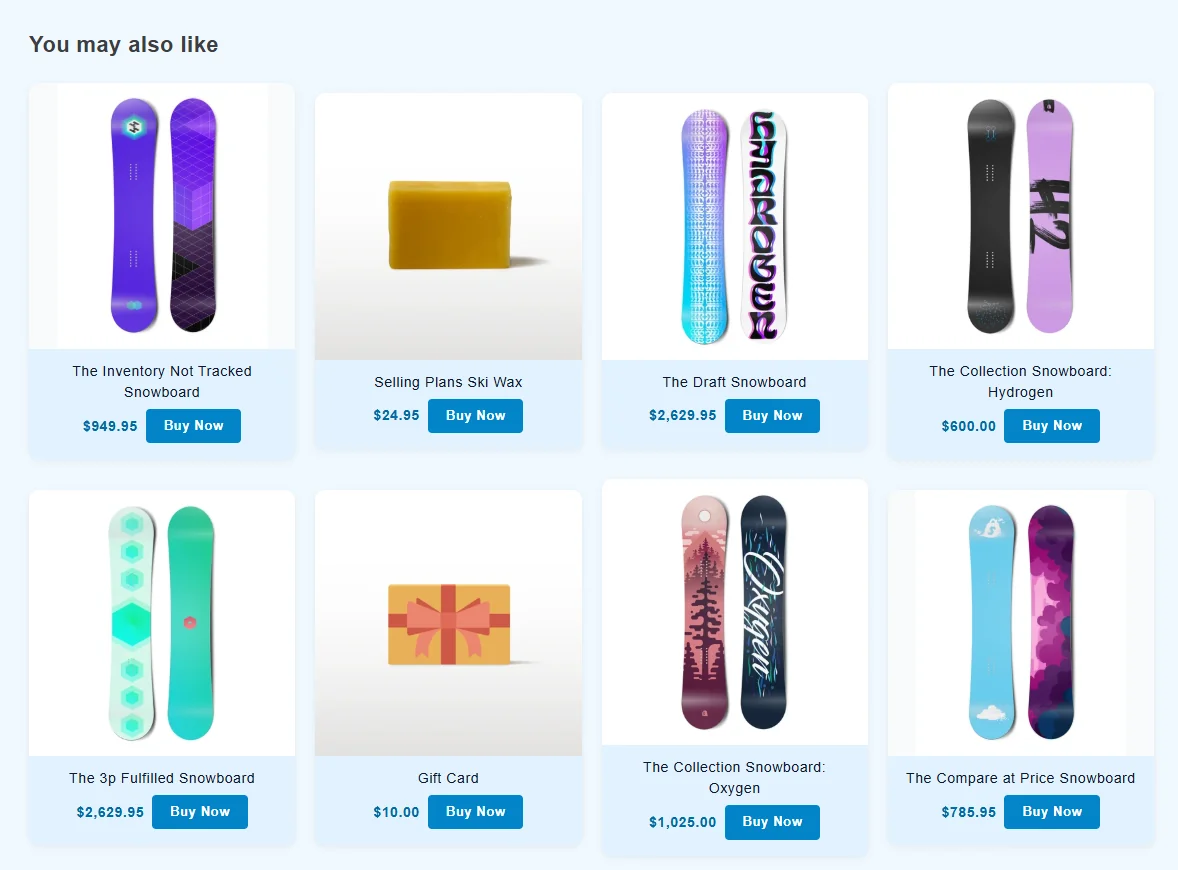
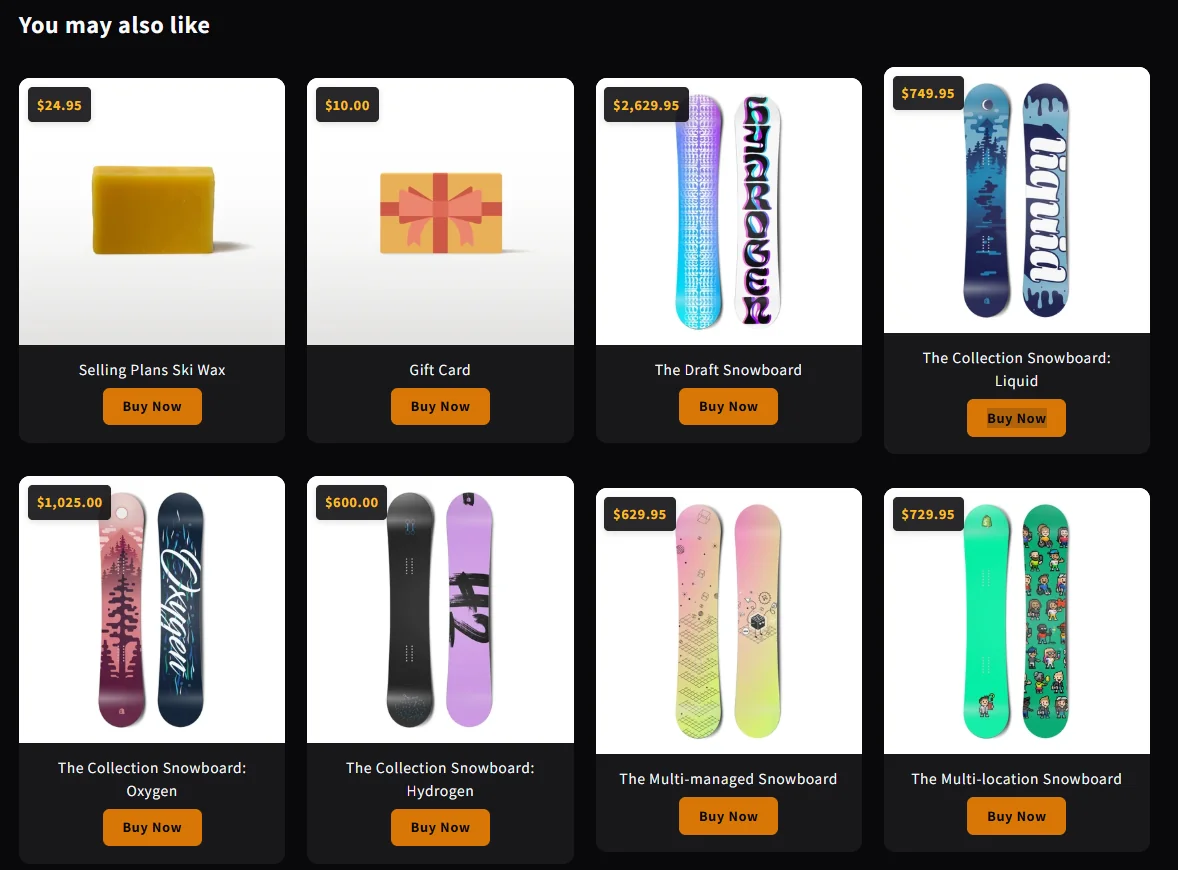
Ideal for footer cross-sells. Displays recommended items in a structured, static multi-column grid (1 to 6 columns on desktop, 1 or 2 columns on mobile) without a sliding track.
Related Products Slider (for product page)
Replaces your theme's static "You may also like" with an intelligent recommendation carousel. Features secondary image flip on hover, mobile inertia swipe, and smooth auto-slide controls.
Know what converts inside your store.
Track every recommendation click inside Shopify Admin with live logs and catalog analytics.
Top Products Analytics
See which products shoppers discover and click most through your carousels, with two core KPIs aggregated directly from your live storefront.
Real-Time Tracking Logs
Inspect individual click events as they happen from the live Tracking Logs tab right inside your Shopify Admin dashboard.
| Rank | Product | Total Clicks |
|---|---|---|
| #1 | The Collection Snowboard: Hydrogen | 145 clicks |
| #2 | Selling Plans Ski Wax | 112 clicks |
| #3 | The Inventory Not Tracked Snowboard | 94 clicks |
| #4 | The Complete Snowboard | 81 clicks |
| #5 | The Draft Snowboard | 68 clicks |
| #6 | The 3p Fulfilled Snowboard | 56 clicks |
| #7 | The Videographer Snowboard | 49 clicks |
| Clicked Product | Source Page/Product | Total Clicks | Last Clicked |
|---|---|---|---|
The 3p Fulfilled Snowboard | Home/Collection Page | 124 | 2m ago |
The Videographer Snowboard | Home/Collection Page | 98 | 15m ago |
The Complete Snowboard | Home/Collection Page | 85 | 28m ago |
The Collection Snowboard: Hydrogen | Home/Collection Page | 76 | 45m ago |
The Collection Snowboard: Hydrogen | The Multi-managed Snowboard | 68 | 1h ago |
The Draft Snowboard | Home/Collection Page | 54 | 3h ago |
The Inventory Not Tracked Snowboard | Home/Collection Page | 49 | 5h ago |
Transparent pricing. 15-day free trial on paid plans.
Start free, upgrade as your store grows. Zero risk, cancel anytime.
Free — no trial required
For new stores seeking a clean floating product recommendation bar.
- Sticky Carousel For Product Pages (App Embed)
- Up to 5 carousel products
- Basic recommendations (Random, Price L→H, Price H→L)
- All Customization Features
- Pinned Card (WhatsApp, Call, Cart & Links)
- Related Products Slider (App Block)
- Tracking Data & Analytics
- Related Products Grid (App Block)
- Custom Carousel (Universal App Block)
15-day free trial included
For scaling stores looking to boost conversion on product pages.
- Sticky Carousel For Product Pages (App Embed)
- Up to 25 carousel products
- All recommendation strategies + Custom Collections
- All Customization Features
- Pinned Card (WhatsApp, Call, Cart & Links)
- Related Products Slider (App Block)
- Tracking Data (Last 30 Days)
- Related Products Grid (App Block)
- Custom Carousel (Universal App Block)
15-day free trial included
For high-converting brands requiring full catalog capacity and universal blocks.
- Sticky Carousel For Product Pages (App Embed)
- Up to 200 carousel products
- All recommendation strategies + Custom Collections
- All Customization Features
- Pinned Card (WhatsApp, Call, Cart & Links)
- Related Products Slider (App Block)
- Tracking Data (All Time)
- Related Products Grid (App Block)
- Custom Carousel (Universal App Block)
Frequently Asked Questions
Will Cubic Carousel slow down my store's loading speed?
No. Cubic Carousel is built in lightweight native JavaScript with zero external dependencies (no jQuery, no bulky 3D or slider libraries). The total storefront script bundle is under 35KB compressed, preserving high Core Web Vitals and PageSpeed scores.
When does billing start for paid plans?
Your 15-day free trial begins immediately upon selecting Growth or Pro. No credit card is charged until the trial period ends. You can cancel at any time during the trial with no obligation.
What happens if I cancel or don't subscribe after the trial?
If you cancel a paid plan, your account automatically downgrades to the Starter plan. Your widgets will continue to work under the Starter limitations (5 products maximum, basic recommendations only, no pinned card).
Can I switch between plans or cancel anytime?
Yes. You can upgrade, downgrade, or cancel between Growth, Pro, or Starter directly from your Billing dashboard at any time. Shopify handles prorating automatically, and your active paid access remains active until the end of your current billing cycle.
Do I need to edit Liquid code or hire a developer to install it?
Zero coding is required. Cubic Carousel uses official Shopify Online Store 2.0 Theme App Extensions. You install the app, enable the App Embed toggle in your theme editor, and drag carousel blocks directly into your pages.
What happens if an active product has no matching tags or related items?
That is the power of the "Brain" Fallback Priority Deck! If a product only has 1 related item, the recommendation engine automatically cascades down your priority list (e.g. Recently Viewed, Same Collection, Best Sellers) to guarantee your carousel is never empty.
What happens when I uninstall the app?
Because it operates cleanly as an OS 2.0 App Extension, uninstalling leaves zero orphan code or residual files inside your theme files. Your theme remains 100% clean and optimized.
Ready to elevate your Shopify store's conversions?
Join merchants creating dynamic, high-converting product recommendations with Cubic Carousel.